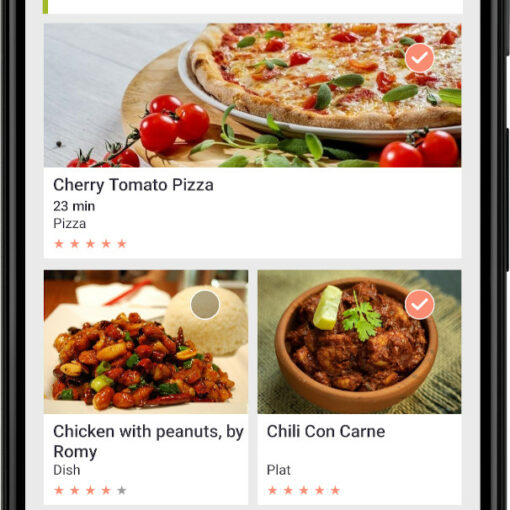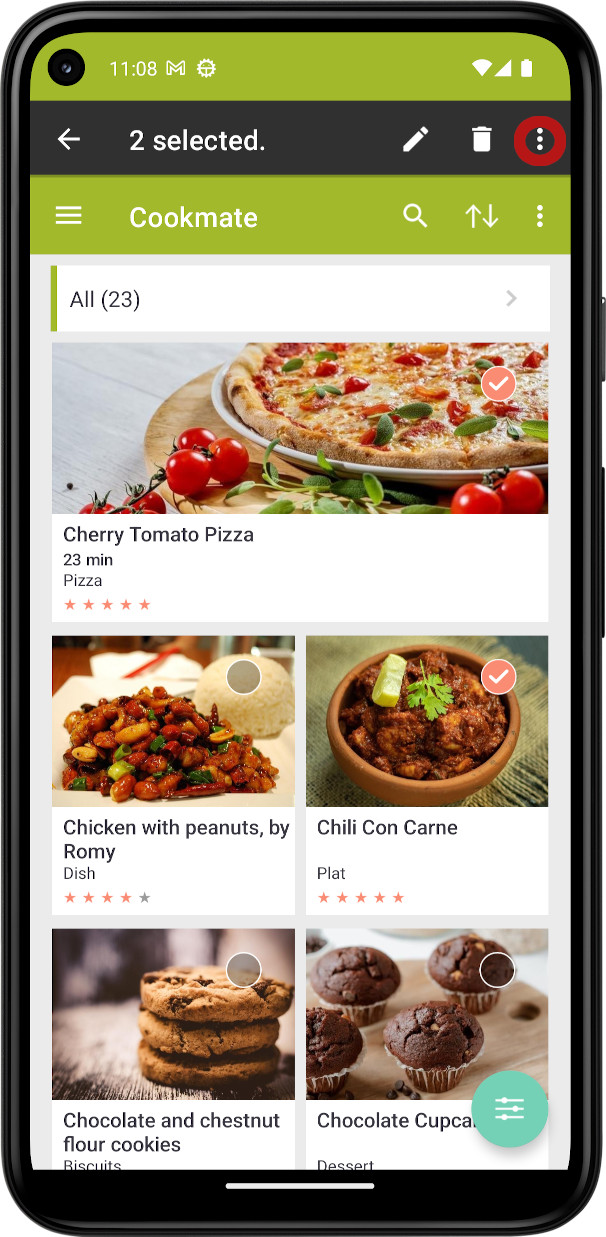
COOKmate lets you choose how your recipe list looks: large photos, a single column of pictures, a detailed list, or just the titles. You can change it in two ways: from the menu at the top of your recipe list, or from Settings.
Option 1: From the recipe list (fastest)
- On the My Recipes screen, tap ⋮ (More options) at the top right.
- Tap View.
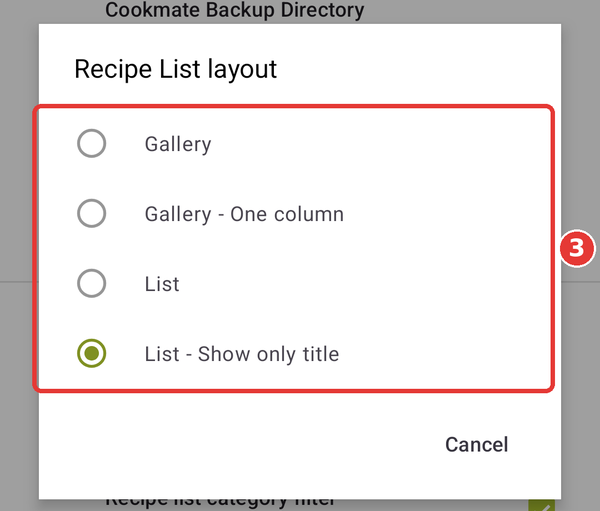
- Choose a layout: Gallery, Gallery – One column, List or List – Show only title.
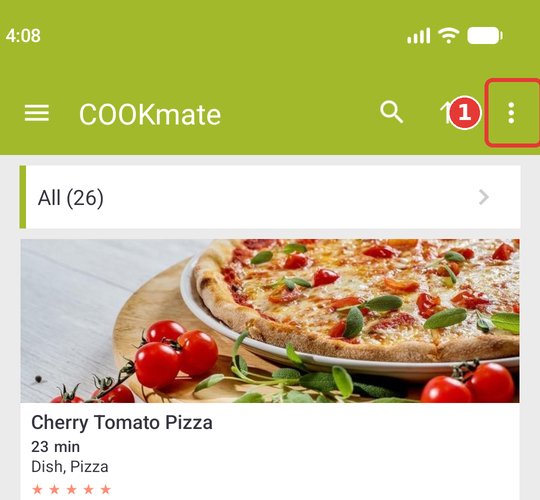
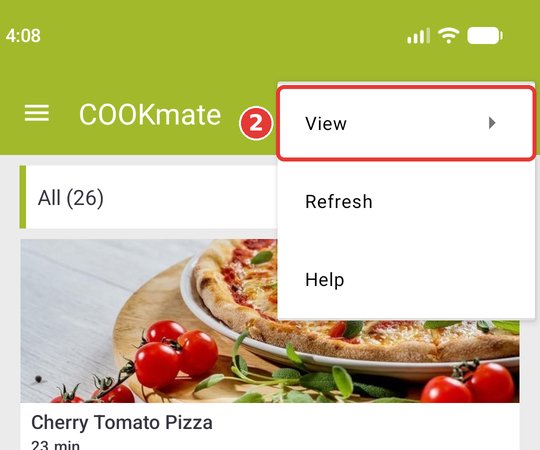
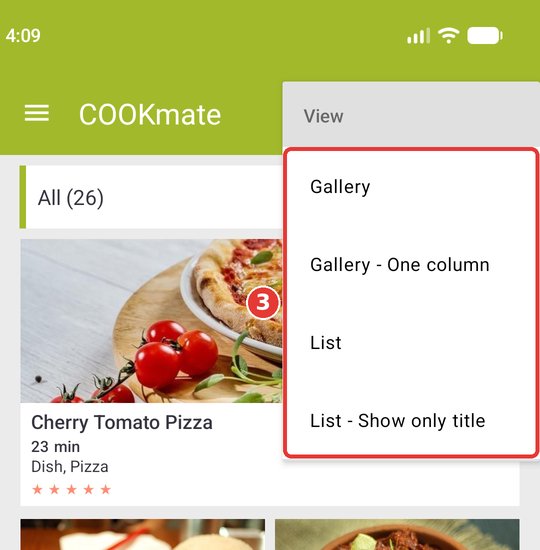
The recipe list refreshes right away with the new layout.
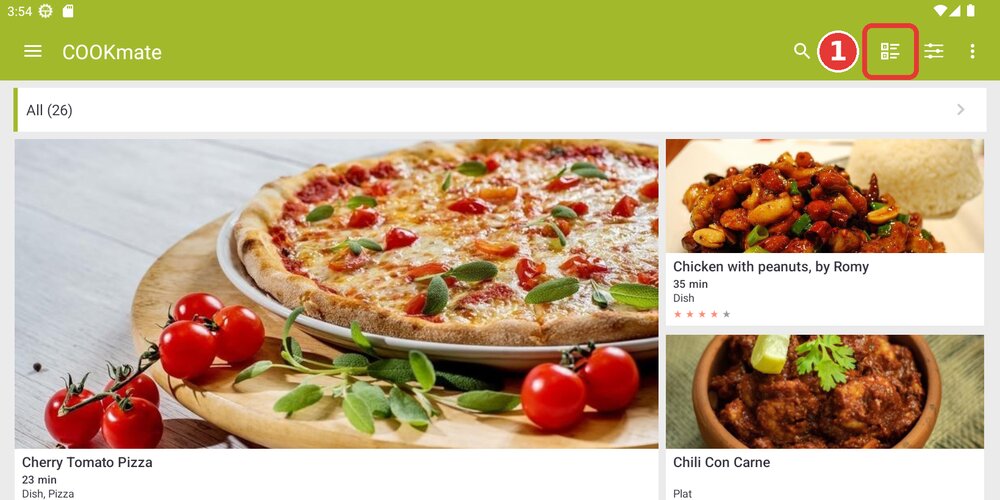
On a tablet: there is more room in the toolbar, so the View icon is shown directly. Tap it, then pick a layout.
The 4 layouts at a glance
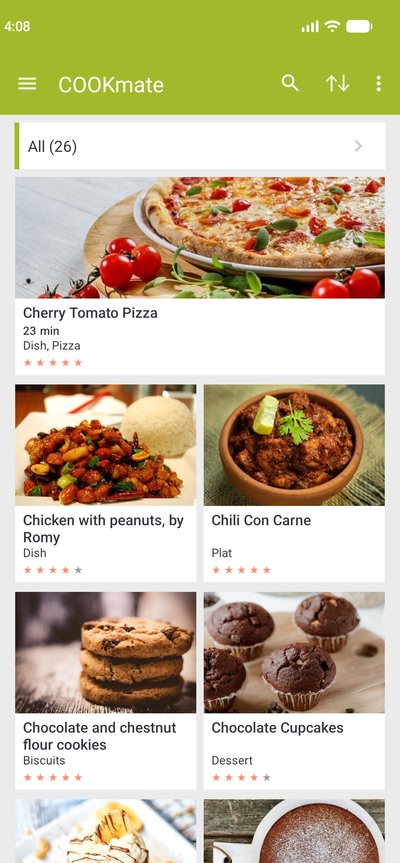
Gallery
A grid of photos: two columns on a phone, three to five on a tablet.
Gallery – One column
One wide photo per recipe, stacked in a single column.
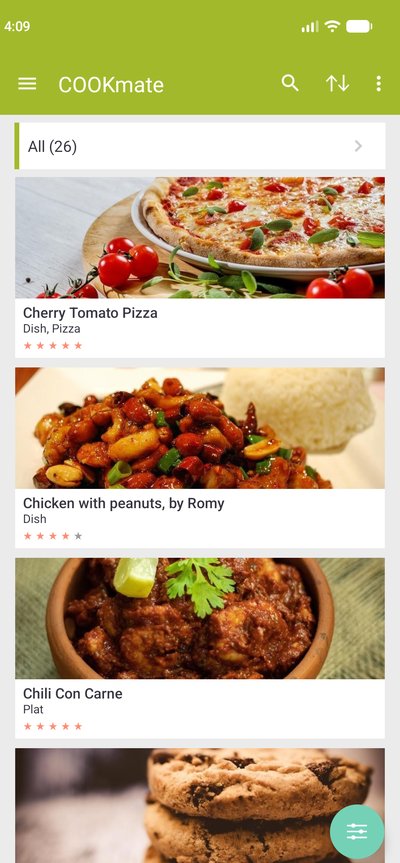
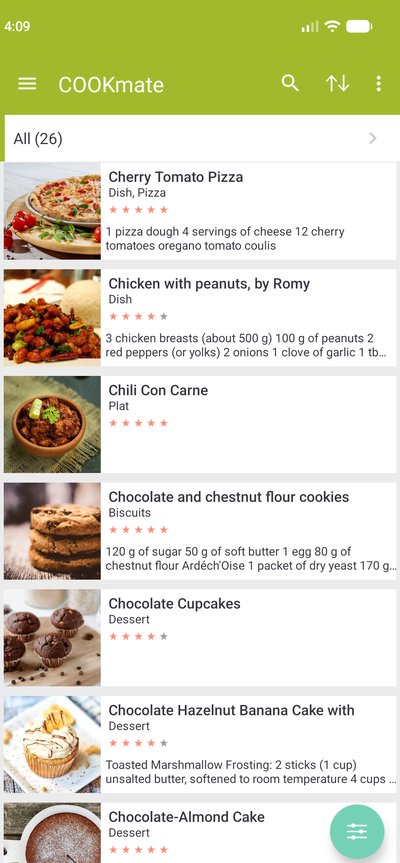
List
Thumbnail, title, rating and a preview of the ingredients.
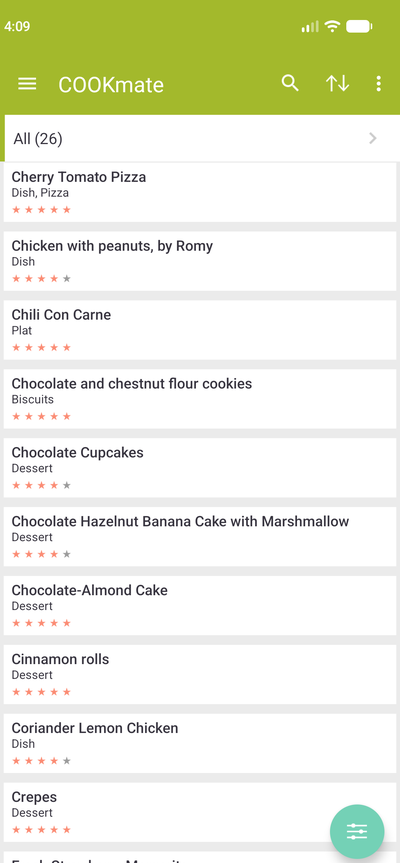
List – Show only title
Text only. Shows the most recipes at once.
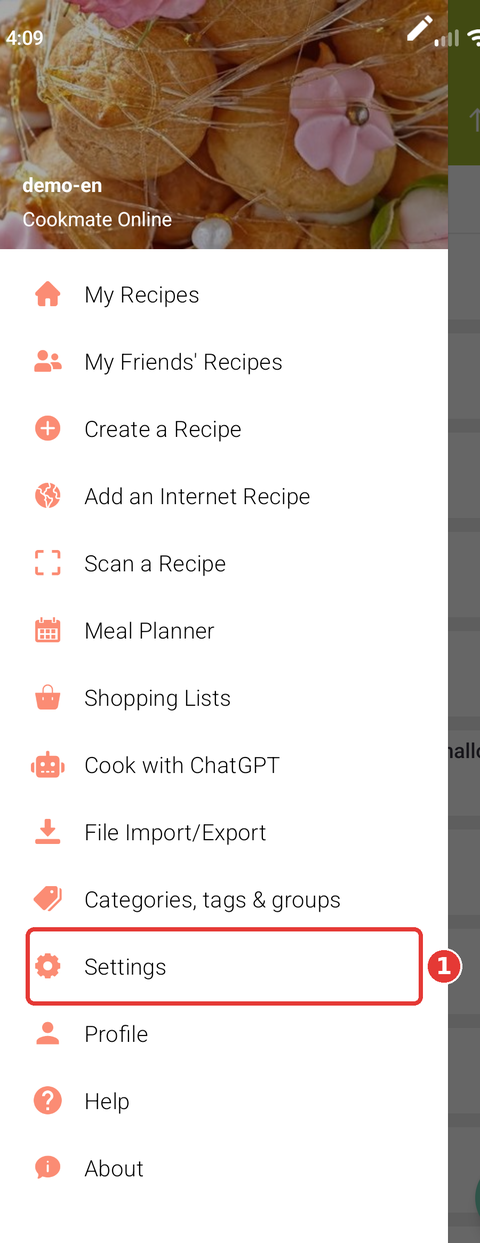
Option 2: From Settings
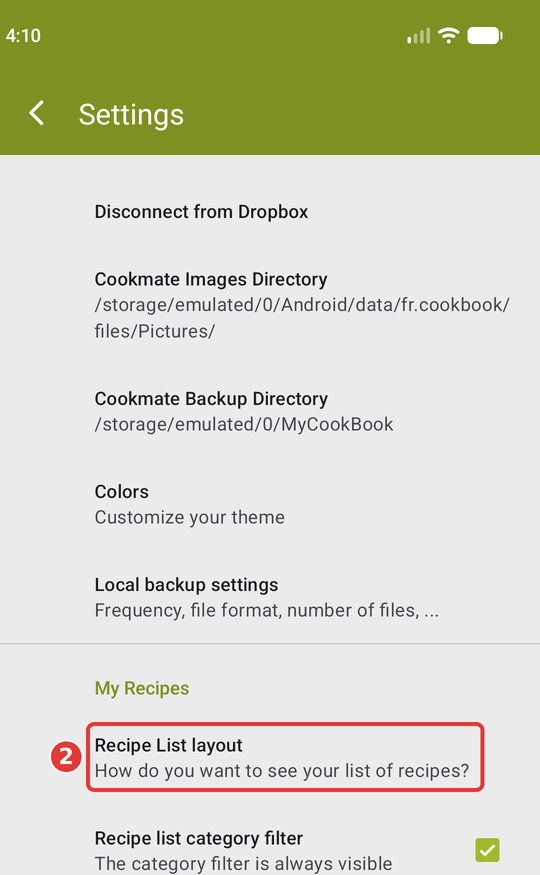
- Open the menu (☰ at the top left) and tap Settings.
- Scroll down to the My Recipes section and tap Recipe List layout.
- Select the layout you want. Your choice is applied as soon as you go back to your recipes.
Good to know
- COOKmate remembers your choice: the list opens in the same layout next time.
- The layout only changes how recipes are displayed. Your recipes, sorting and filters stay the same.
- You can switch layouts as often as you like.